


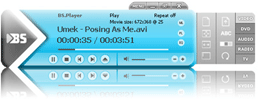
All new audio & video player but still FREE
Proceed to the download section and downloa your player now
Proceed to the download section and downloa your player now
YouTube support
New functionality – it will play YouTube videos directly from the net and it can save these videos to your hard-drive as flv files for later playback. Now you can download all of your favorite YouTube videos directly to your computer simply by using BS.Player.BS.Player has full functionality as YouTube player and as YouTube downloader, for any YouTube content.Playlists support
The playlists support is great. They may be imported from BST and M3U (Winamp) records, saved, edited and added new files from any folder, as well as URLs.Display subtitles
Beside the basic functions such as font type and size selection, the program supports many others: shadows, outlines, subtitle location on the screen, etc. Bad subtitle timings can be fixed within the program itself with simple keyboard shortcuts. BS.Player can display two external subtitles (.srt, .sub, .txt...) at the same time. You can select position of both subtitles and enjoy dual subtitles in two different languages with your favourite movie. BS.Player also supports displaying subtitles in .mkv files for those high resolution movies with subtitles.BS.MediaLibrary
All multimedia files on your computer's hard drive will now be listed in the BS.MediaLibrary™. From now on they will always be within your reach. MultilingualBS.Player™ 2.78 is an international product, targeted to all and any user worldwide. With its multilingual subtitle support and full multilingual menu it is greatly helpful to those who are not native speakers of English language.Resizable movie window
Want to experience the cinema feeling in the comfort of your home? Here are the instructions: choose your favourite movie, make some pop-corn and adjust the movie window size to whatever you want. A full-screen movie is only a click away.Drag & drop and multiple volume rar archive support
Are you looking for a way to avoid the timely multimedia file opening? BS.Player™ 2.78 enables you to drag and drop your file your file from any location on your computer to BS.player and the fun can begin. BS.Player can play any multimedia file - even if its being archived in multiple volumes as rar. Now, there is no need to unrar your multimedia files everytime you want to see them, simply right click on the first file of the rar archive (usually filename.rar or filename.001) and select 'Open with BS.Player' and let your favourite multimedia player do the rest! BS.Player will even properly display subtitles from double rared Vobsubs!Resolution changing
Use the resolution changing feature and avoid the oversized picture if you wish to watch your movie on your TV screen, projector or plasma screen. The feature will adjust the TV resolution and optimize the quality of movie reproduction.Fully skinnable
Though the BS.Player™ 2.78 proudly bears a modern look that sets new standards in this field, we have added an easy skin selection option and the option of adding your own custom skins. You may create your own dream look or choose from the many pre-prepared ones found at our SKIN section.Capture frame from video and save it to jpeg image
Would you like to keep a photo of your favourite movie scene? Use the Frame capture feature to do that easily. Now it depends on you alone whether the picture will find its way to your wall as well. You can take screenshots in jpg or bmp formats and define their filename format.AVI files with more than 2 audio streams supported
This feature supports the use of two or more audio stream channels. AVI files with more than two channels, i.e. multilingual files are supported. The BS.Player™ thus offers you the choice of the laguage of your playback.Supports embedded subtitles/chapters
BS.Player™ 2.78 also supports embedded subtitles/chapters), not only for OGM but for all formats. This means that also the subtitles, embedded in the file itself can be played. (.ogg, .avi, .mkv)External audio file support
Do you wish to merge your favourite music with your favourite video? Next to the normal movie playback you can now load an external audio file and enjoy a secondary audio along with your movie. This feature offers the playback of background music, even though a movie is already being played in your BS.Player™ 2.78.S/PDIF output supported
The feature enables the digital file output with an intervideo audio reader. The settings for the pre-installed modules such as Winamp and Equalizer can be found here. This means that the audio reproduced by the BSPlayer is the original unconverted sound.INI files
Using an INI file you can set all the movie parameters of your choise. The BS.Player™ 2.78 will play them just the way you set them. Do you want to watch your movie full-screen with white subtitle text? No need to adjust the settings each time, your favourite setting will be saved in the INI file.Custom playback modes (Repeat All, RepeatRandom)
BS.Player™ 2.78 offers different playback modes, such as hidden mode and VMR-9.Display videos directly on your Desktop
Displays video file on your desktop, and watch it plays while you work!Playback of AVCHD (Advanced Video Codec High Definition) format used in digital tapeless camcorders.
BS.Player can playback any AVCHD files (also known as AVC-HD or AVC HD) created by Canon, JVC, Panasonic, and Sony digital camcorders.Command line support
Advanced users who wish to make the playback of multimedia content easier and customize your player, will appreciate feature of command line commands and program control options through our new Command line.Pan scan and custom pan-scan option
Watching a 16:9 full-screen movie on a 4:3 screen, the black edges on top and bottom are unavoidable. The Pan-scan feature enables you to watch your movie without the edges. By using the custom pan-scan you can set the pan of your choice.Custom aspect ratios
While playing your video, you can choose from the standard aspect ratios, such as 4:3 or 16:9, or you can set your own custom ones to deal with as non-standard video ratios as need be.Playlist support
Add your favourite files to playlists of your choice; the playback is only a mouse click away.